Overview#
The MINERVA Platform shows diagrams of molecular interactions along with their annotations and database links.
In the figure below, a primary view of the MINERVA platform is shown.
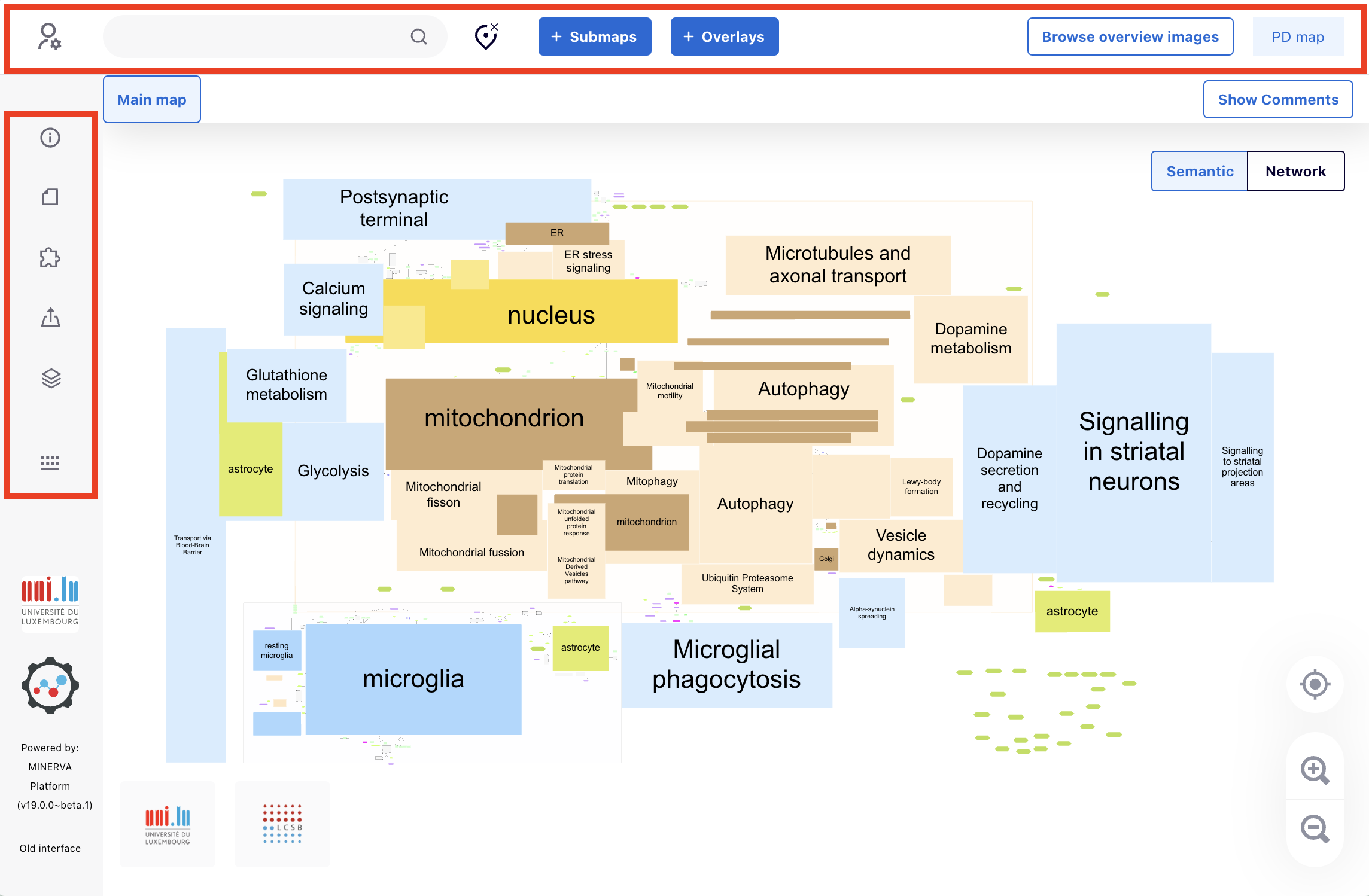
On the left sidebar, users can see the sections Project Info, API Documentation (redirecting to the latest API documentation for the MINERVA project), Available Plugins, Export, Layers, and Legend in the order from top to bottom.
On the top sidebar, starting from the top left corner, there is the login section, search box, a button for clearing the selected pins from the map (clear button), and buttons for Submaps, Overlays, and browsing overview images.
Project Info#
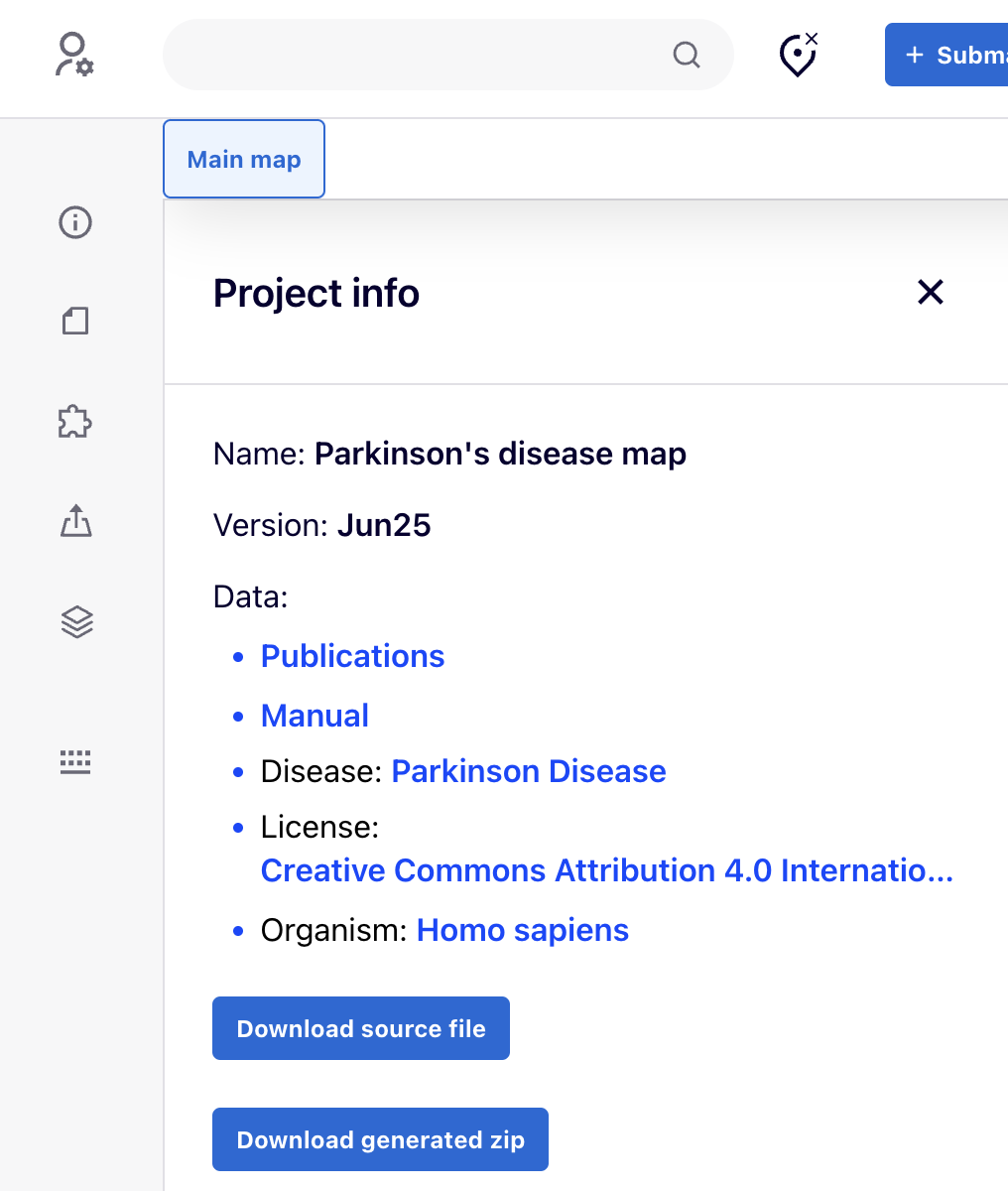
Click on the  icon to view Name, Version, Project ID and the details of the MINERVA project (Data).
In the Data section:
- Browse the Publications supporting the map. The Publication list dialogue allows to search for articles by:
- PubMed id of the paper
- Title, Authors, Journal, Year of the paper
- Elements on map - IDs of the map elements and interactions annotated with this PubMed id. These are direct links to the elements and interactions in the map
- Submaps
The list of the publications can be downloaded by clicking on Download CSV.
- Open the MINERVA general Manual.
- Disease type (MeSH identifier, Medical Subject Headings).
- Licence
- Organism type (NCBI Taxonomy identifier).
- Download source file of the project.
- Download generated zip files of the current version of the project.
User Login#
Logged users can upload their data overlays, and administer the platform and its contents if they have admin privileges. User login is not mandatory to browse publicly available content.
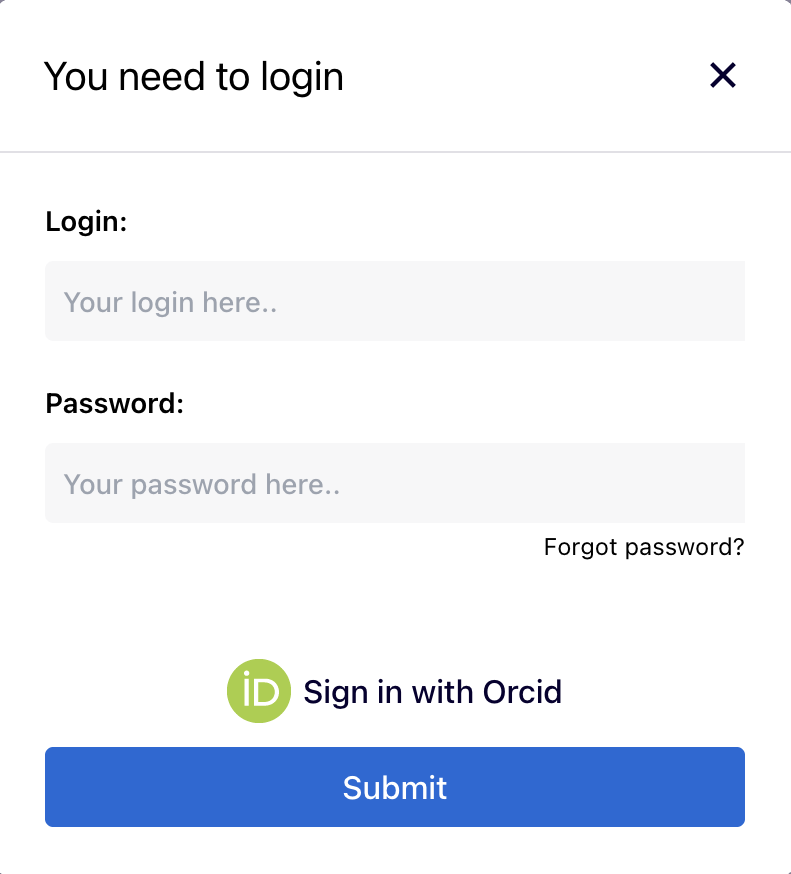
By clicking on the login icon  in the top left corner of the map, users can log in using either a Local ID or an ORCID account:
Local ID: Local IDs are for users who are manually added.
ORCID: Users can use their ORCID ID and password to log in. ORCID users can use API authentication tokens for programmatic access to the MINERVA REST API.
API Authentication Tokens#
Logged-in users can create personal API authentication tokens for programmatic access to the MINERVA REST API. Tokens are an alternative to login/password-based authentication and are useful for scripts and automated workflows. In particular, this allows users logging in with their ORCID account to authenticate against the API.
For more details on available API endpoints, see the REST API documentation.
Creating a token#
In the user profile section, users can generate a new token by providing:
- Token name - a label to identify the token’s purpose.
- Expiration date - tokens are valid for up to 1 year from creation.
Using a token#
Include the token in API requests using the Authorization header:
Authorization: Bearer <your-token>For example:
curl 'https://your.minerva.instance/minerva/new_api/projects/' \
    -H 'Authorization: Bearer <your-token>'
Managing tokens#
Users can view a list of their active tokens, including their names, creation dates, expiration dates, and token values. Any token can be cancelled (revoked) at any time, immediately invalidating it for future API requests.