Go back to Examples v12
Example 02 - SBML file modifications#
Uploaded SBML may need preparation before uploading to MINERVA, see more in Admin Manual section SBML file.
SBML file exported from MINERVA map#
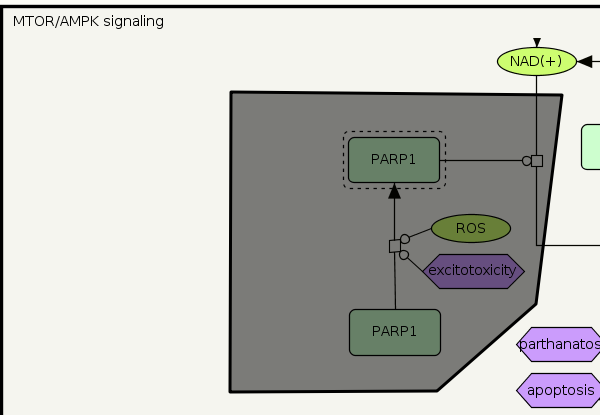
Example File 6 contains SBML map exported from PD map, see image below:
 {:width=“600px”}
Adding a new project using Example File 6 as source file, generate identical map as exported one (annotations, elements, reactions and their positions are preserved), since SBML file exported by MINERVA contains block layout and assigned SBOTerms.
Note: SBML file might be complex. See below the SBML blocks (within <model>), which are sufficient to create a new MINERVA project:
- <listOfCompartments>
- <listOfSpecies>
- <listOfReactions>
- <layout>
SBML model from miscellaneous sources#
Download Example File 7 which is an SBML model downloaded form Biomodels website.
Applying SBML file modifications before upload#
Open Example File 7 and amend code as below instructions. Without these changes MINERVA starts the upload of new project, but loops the process on parsing data.
Tiding the xml blocks
- Delete <annotation> in <model> (known issue, will be fixed in the upcoming release)
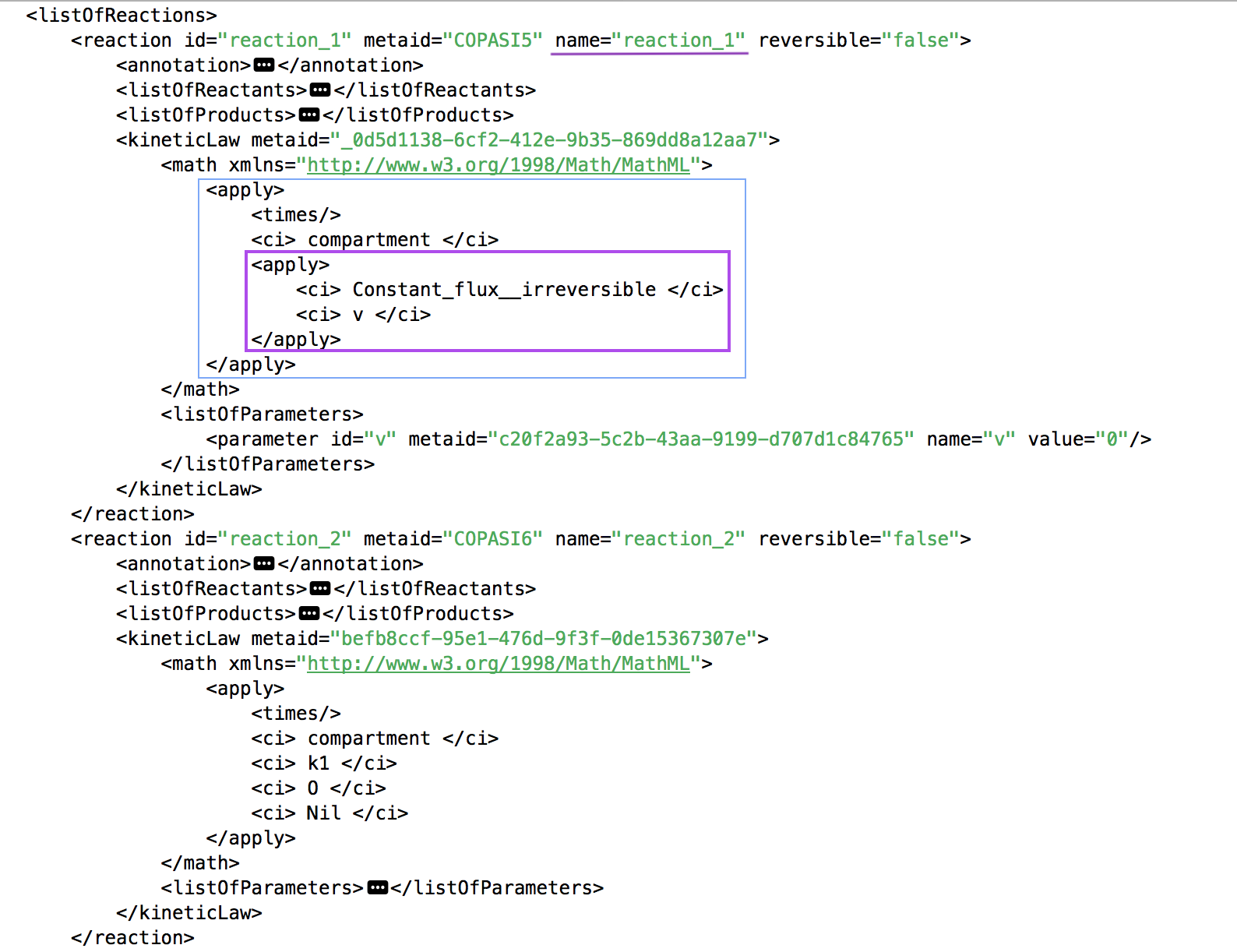
- Delete nested <apply> block (purple in below image) in <apply> in <kineticLaw>. This is a known issue, such formulation of the <kineticLaw> causes crash on upload, other <kineticLaw> block are handled correctly. In our example nested <apply> only occurs in reaction_1, see below:
 {:width=“700px”}
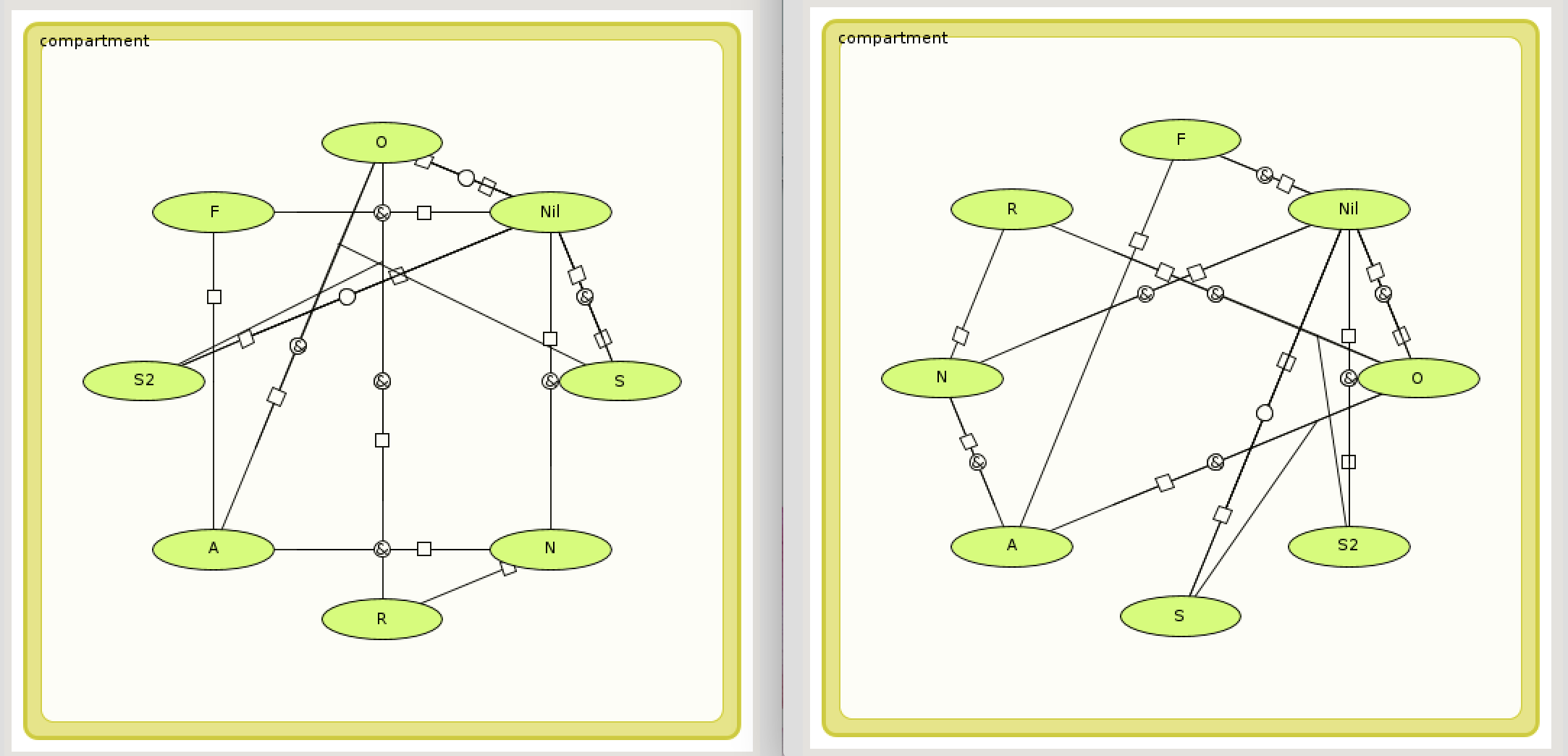
Now add project to MINERVA with the modified file. On the generated map, all elements are small molecules and reactions are state transitions. Note that without <layout> xml block elements are connected and displayed randomly, see on below image two independent uploads of the amended SBML file (Example File 8) as per above instructions:
 {:width=“900px”}
SBOTerms input
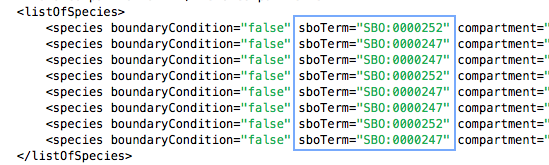
Add to each species element in listOfSpecies corresponding SBOTerm, as per the list of CellDesigner types matching SBOTerms
 {:width=“500px”}
Add to each reaction in listOfReactions corresponding SBOTerm, as per as per the list of CellDesigner types matching SBOTerms
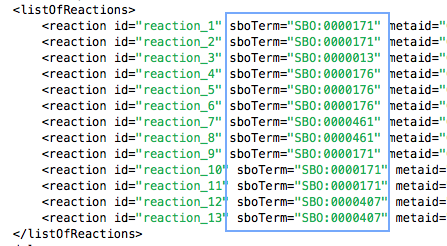 {:width=“500px”}
Add new project to MINERVA with amended file (Example File 9), the generated map looks like below. Note that small molecules are annotated (see next paragraph).
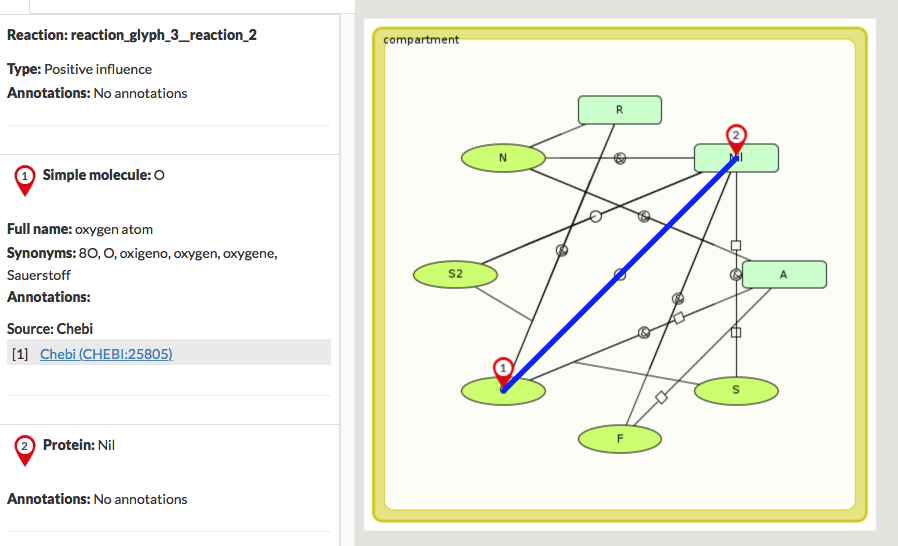 {:width=“800px”}
Miriam annotation in SBML File#
MINERVA automatically annotates elements by name, if proper annotators are configured (see section Configure automatic annotation). On above image, O - oxygen and others small molecules are annotated with ChEBI by name.
To annotate elements with Miriam, below annotation block is necessary to be added inside species.
Now, add to the SBML file new species gene named FOS and annotate it with HGNC:3796 as below:
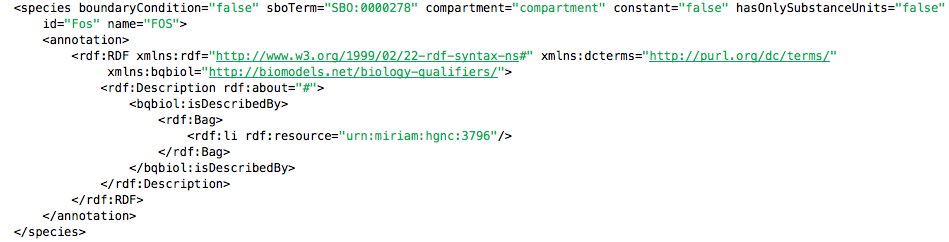 {:width=“800px”}
Find here SBML file with FOS added: Example File 10, see image below:
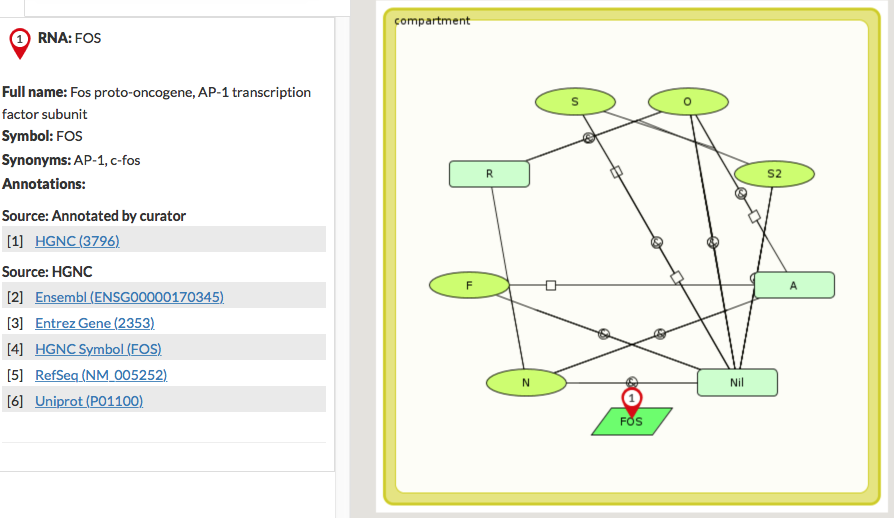 {:width=“800px”}